Fable Reading Data Export: Why the Missing Download Is a Red Flag
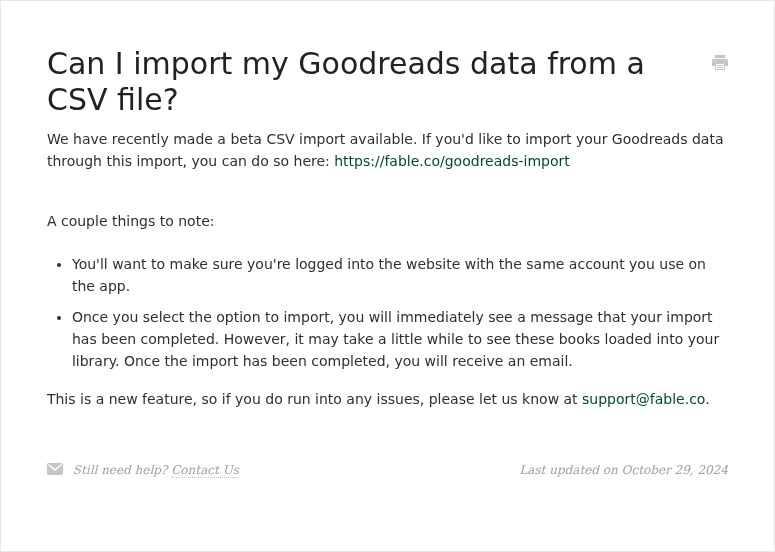
Can you export your Fable reading history? As of September 28, 2026, Fable’s public help center explains how to import Goodreads books, lists, and reviews, but I could not find a matching guide for downloading a complete reading-library backup. For anyone building years of book history in one app, that gap is a real data-portability red flag.
Fable explains how to bring your Goodreads history in
Fable’s support center documents a Goodreads CSV import and a separate flow for importing Goodreads lists and reviews. Those tools can make it easier to get started without rebuilding your reading history by hand. The import article currently available in Fable’s help center is dated October 29, 2024.
What I could not find in Fable’s public support documentation is a self-service way to download the full Fable library back out as a reusable file. That does not prove that no user can ever obtain a copy. Fable’s privacy policy says that some people, depending on where they live and applicable law, may request access to personal information, including a structured copy where feasible. A privacy request is different from a clearly documented export button that readers can use whenever they want.
That distinction matters. A list of titles is only one part of a reading history. Readers may also care about shelves, ratings, reading dates, notes, highlights, goals, and the personal context they have added over time. Before settling into any book app, it is reasonable to ask whether you can download a practical copy of the records you have built there.
“Your data will stay” is not the same as a backup
Fable’s support center currently reassures readers that their data, clubs, goals, highlights, and notes will stay on Fable. That is useful continuity information. It still leaves a different question unanswered: can you keep a copy of your reading history somewhere you control?
A service can preserve your account today and still make it hard to move your information tomorrow. A missing, undocumented self-service export is therefore a serious product concern, even when there is no announcement that a service is shutting down. Readers should not have to wait for a closure, a policy change, or a support conversation before learning how portable their years of reading data are.
MyBibliotheca puts its account export in Settings
MyBibliotheca includes a Download my data (CSV) action in Settings. It creates a copy of your account profile, library books, ratings, notes, reading dates, and reading logs when you request it. The file is generated for you and is not saved on MyBibliotheca’s servers; passwords, login tokens, and other people’s data are excluded.
That gives readers a practical backup they can save, inspect, or use when they need to move their records. You can read the MyBibliotheca export guide for the fields included and the download steps.
Check portability before you build a library
Before committing years of reading to any tracker, look for a documented way to:
- Download your books and the reading details you care about.
- Keep the file in a standard format you can open elsewhere.
- Make another export later without contacting support.
Imports are valuable, but portability works in both directions. If exportability matters to you, compare the actual backup options before choosing where your reading history will live. MyBibliotheca is built to keep your library private and give you an on-demand export when you want a copy.
Checked September 28, 2026. Fable features and help pages can change; review the linked current support and privacy pages before making a decision.
Sources
- Can I import my Goodreads data from a CSV file? — Fable Reader Support
- How do I import my Goodreads lists and reviews to my Fable account? — Fable Reader Support
- Will my data, clubs, goals, and highlights stay the same? — Fable Reader Support
- Fable Privacy Policy
- Back up and export your data — MyBibliotheca Help