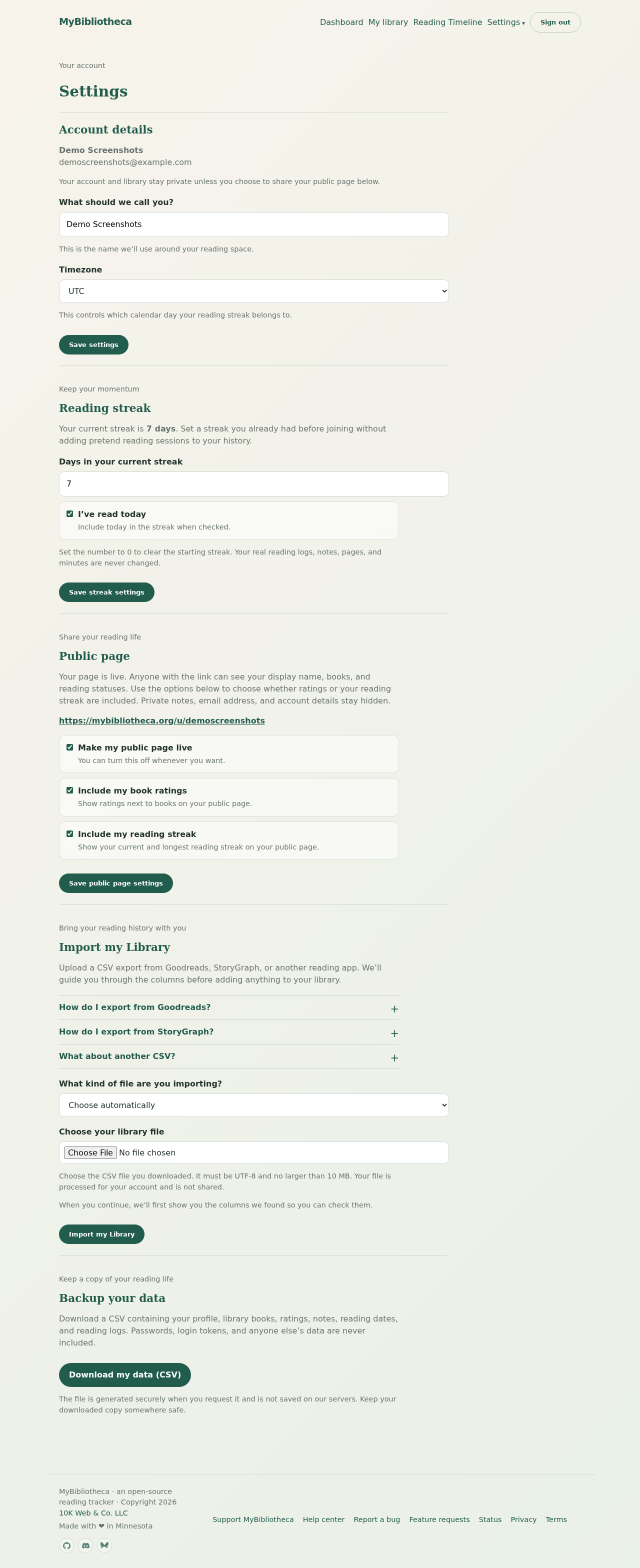
Carry in a streak you already have
- During onboarding, enter the number of days in your current streak.
- Choose I’ve read today if the streak includes today.
- Finish onboarding. The starting streak is kept separately from your actual reading sessions.
- To change it later, open Settings → Reading streak.
What counts as a reading day
A day counts when you have a reading log on that date. A log may contain pages, minutes, or both. The current and longest streaks are calculated from those dated sessions plus any starting streak you carried in.
Set your timezone
Open Settings, choose the timezone that matches where you read, and save. MyBibliotheca uses it to decide which calendar day a late-night session belongs to.
Keep in mind: Clearing the starting streak does not delete real reading logs, notes, pages, or minutes.