Create your MyBibliotheca account
- Create a MyBibliotheca account with the email address where you want claim updates delivered.
- Verify that email when MyBibliotheca asks you to. You need to be signed in before you can submit or manage an author claim.
- Open the account menu in the top-right corner and choose The Commons.
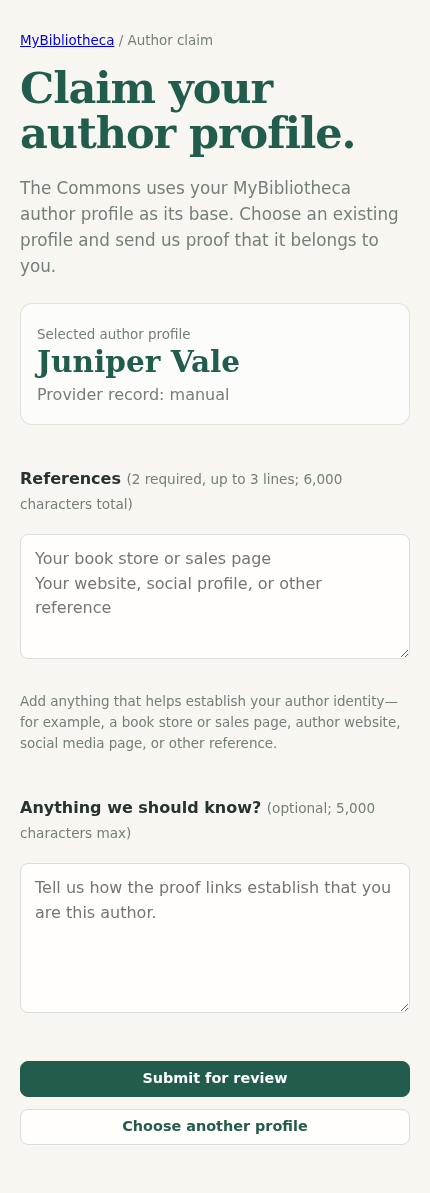
- Choose Claim your author profile at the bottom of The Commons.
Find or create the profile you will claim
- Search for your published author name. If your profile appears, choose the matching author record.
- If it does not appear, choose Can’t find your profile? Continue without finding a profile and enter your published author name.
- Add two references, up to three total. A retailer or sales page plus your official website or social profile is a useful combination.
- Add an optional note that explains the connection, then choose Submit for review.
Use links that clearly connect you to the author name and books. The form accepts HTTPS references and keeps the claim pending until it is reviewed.
Wait for the review email
The claim page shows Pending after you submit it. MyBibliotheca sends the review result to the email address on your account once a reviewer has made a decision.
An approval email includes a View your author profile link. If you do not see it, check spam or junk mail, then return to MyBibliotheca and use the route in the next section.
A pending claim is not yet a public author profile you can edit. Submit one claim only; an author profile cannot have more than one active claim.
Open the profile after approval
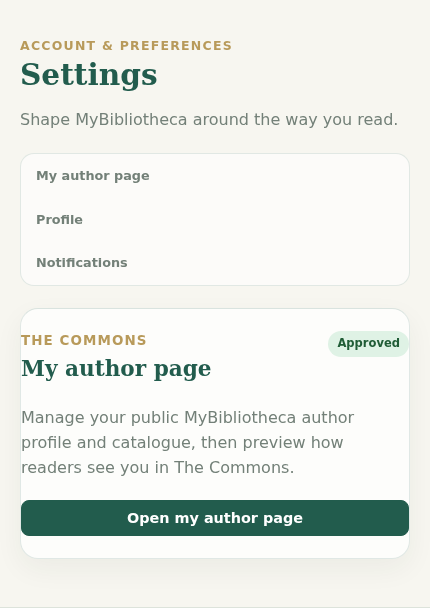
- Open the account menu and choose Settings.
- At the top of Settings, find the approved My author page card and choose Open my author page.
- On your author page, choose Edit MyBibliotheca profile.
Edit your public profile and catalogue
- In the profile editor, add or revise your bio, HTTPS profile-photo URL, genres, website and social links, and release dates. Choose Save profile when you are done.
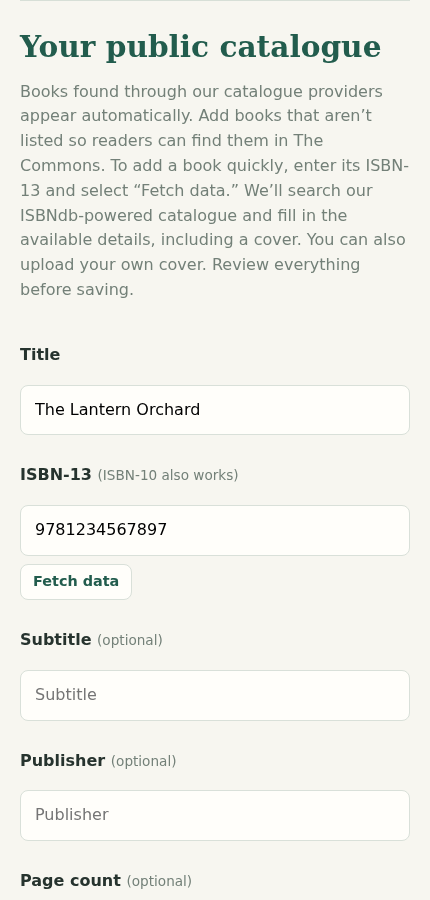
- Scroll to Your public catalogue to add a book that is missing from provider results. Enter its ISBN-13 and choose Fetch data to fill available metadata, or complete the fields yourself.
- Add a cover URL or upload a JPEG, PNG, or WebP cover up to 5 MB, write the description, choose genres, and select Add book to public catalogue.
- Use Edit book for a title you added later, or Remove only when you want it taken off your public catalogue.
Books already found through catalogue providers appear automatically. Uploaded indie-author covers are reviewed before they appear in The Commons.